Start without installing an app
Open the DiagnostiX platform directly in the browser. Platform updates become available automatically.
DIAGNOSTIX WEB PLATFORM
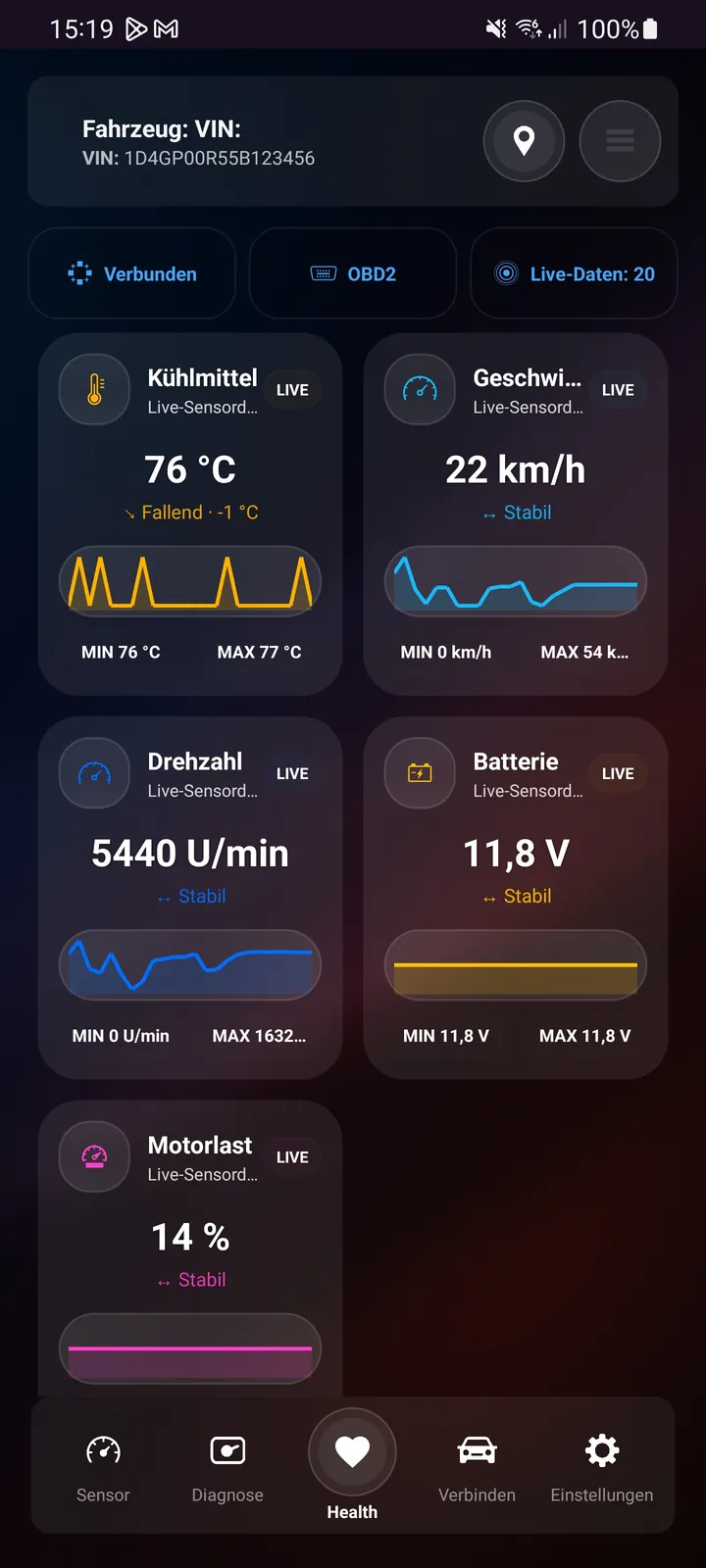
Open DiagnostiX in your browser, connect a compatible BLE OBD2 adapter and check important vehicle data without installing another app.
87 °C · 14.2 V · 31 g/s
DIAGNOSTIX
Browser diagnostics are designed for users who want to start directly. The interface guides you from the adapter to live data and fault codes on phones, tablets and computers.
Open the DiagnostiX platform directly in the browser. Platform updates become available automatically.
Supported sensor values such as RPM, temperature, voltage or airflow data can be displayed clearly.
Standard OBD2 fault codes can be read and documented for further checks.
The web interface adapts to smartphones, tablets and desktops. Connectivity depends on the browser and adapter.
WORKFLOW
Plug a compatible BLE OBD2 adapter into the diagnostic port and switch on the ignition.
Open diagnostix.exza.de in a supported browser and allow the connection.
View available live data, read fault codes and review the results in a clear workflow.
OBD2 / EOBD
Web Bluetooth support differs between browsers and operating systems. Available functions also depend on the vehicle and control unit.
FAQ
No. The platform opens directly in the browser. A compatible browser and BLE OBD2 adapter are still required for the vehicle connection.
Web Bluetooth support differs between operating systems and browsers. Check browser, adapter and vehicle compatibility before starting.
Available data depends on the vehicle, engine control unit and OBD2 support. Typical values include RPM, temperature, voltage, MAF or MAP.
Supported standard OBD2 fault codes can be checked. Manufacturer-specific modules and functions depend on the vehicle and DiagnostiX product.

DIAGNOSTIX
Choose the diagnostic option that fits you and connect your vehicle with a compatible OBD2 adapter.