Live sensors and widgets
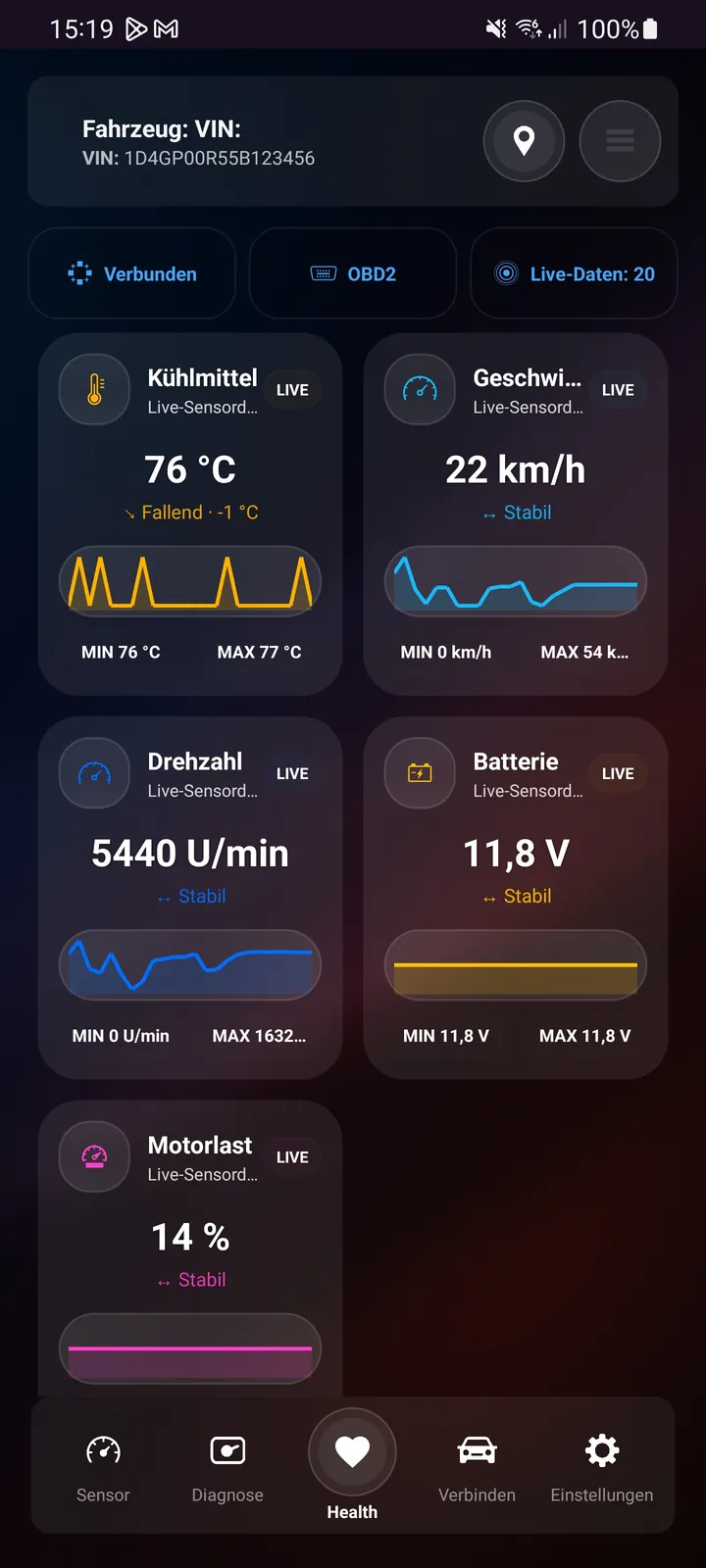
Supported values such as RPM, coolant temperature, voltage, MAF, MAP and other PIDs can be displayed live.
ANDROID APP · LIVE DATA
For drivers and enthusiasts who want to see what is happening in the vehicle: fast connectivity, customizable dashboards, diagnostics and trip tracking.
DIAGNOSTIX
DiagnostiX OBD2 focuses on fast vehicle data. Important sensors, charts and diagnostic functions are combined in a clear interface.
Supported values such as RPM, coolant temperature, voltage, MAF, MAP and other PIDs can be displayed live.
Favorite measurements can be arranged into a personal overview.
Standard OBD2 faults can be read and, where supported, cleared.
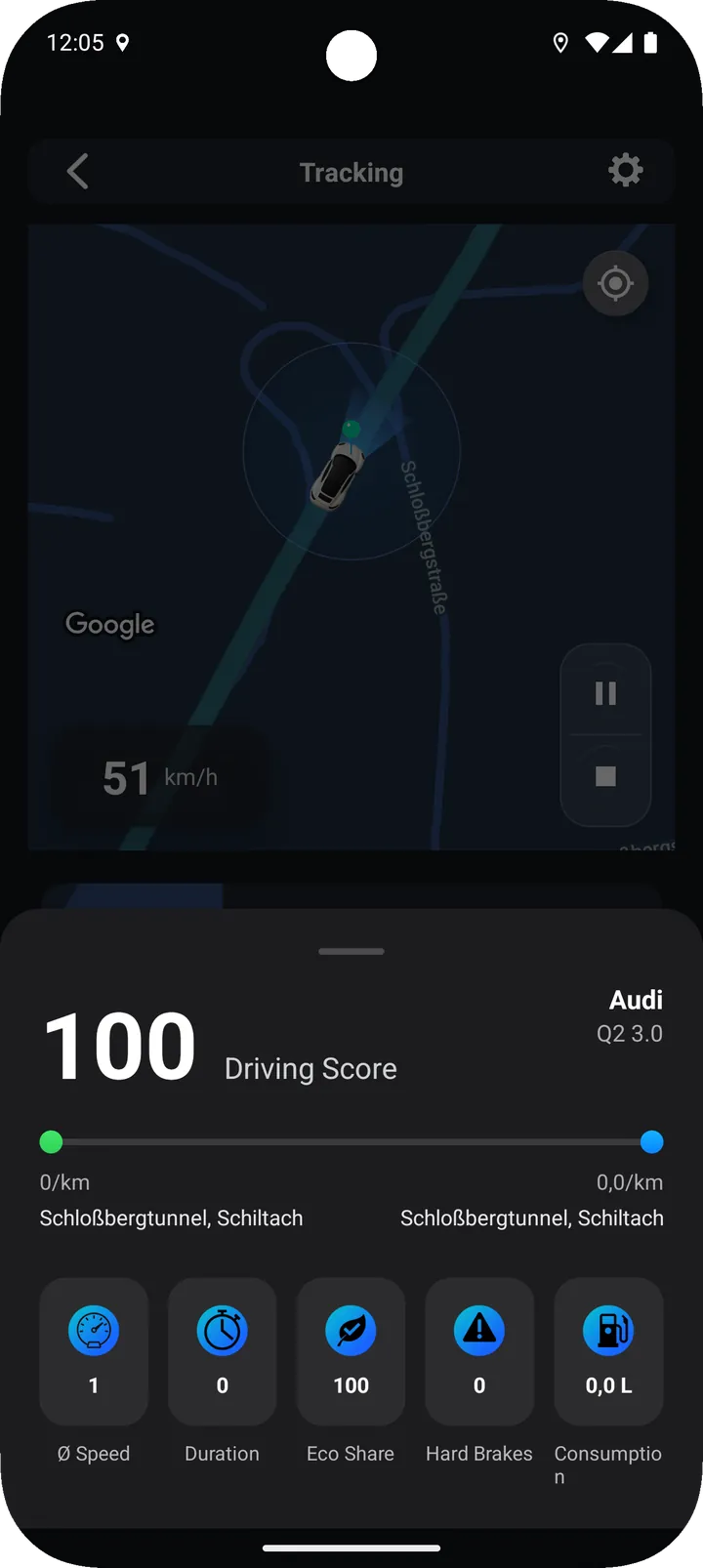
Routes and measurements can be documented and, depending on the function, exported as CSV or PDF.
WORKFLOW
Connect the adapter, switch on the ignition and make sure the adapter is powered.
Choose the relevant Bluetooth or Wi-Fi connection and let the app detect the vehicle.
Review available PIDs and add important values as favorites or widgets.
Use live history, charts, fault codes or trip tracking.
OBD2 / EOBD
OBD2 defines standard data, but not every vehicle provides every sensor. Adapter quality and protocol support affect the connection.
FAQ
Depending on the vehicle, data may include RPM, speed, coolant temperature, voltage, MAF, MAP, throttle position and other OBD2 PIDs.
Supported standard OBD2 faults can be cleared after reading. If the root cause remains, the fault may return.
Quality and protocol support vary significantly. A compatible and reliable adapter improves connectivity and data retrieval.
Depending on the function, data and reports can be documented as CSV or PDF.

DIAGNOSTIX
Choose the diagnostic option that fits you and connect your vehicle with a compatible OBD2 adapter.